Active Visual Search System for Boston Dynamics Spot
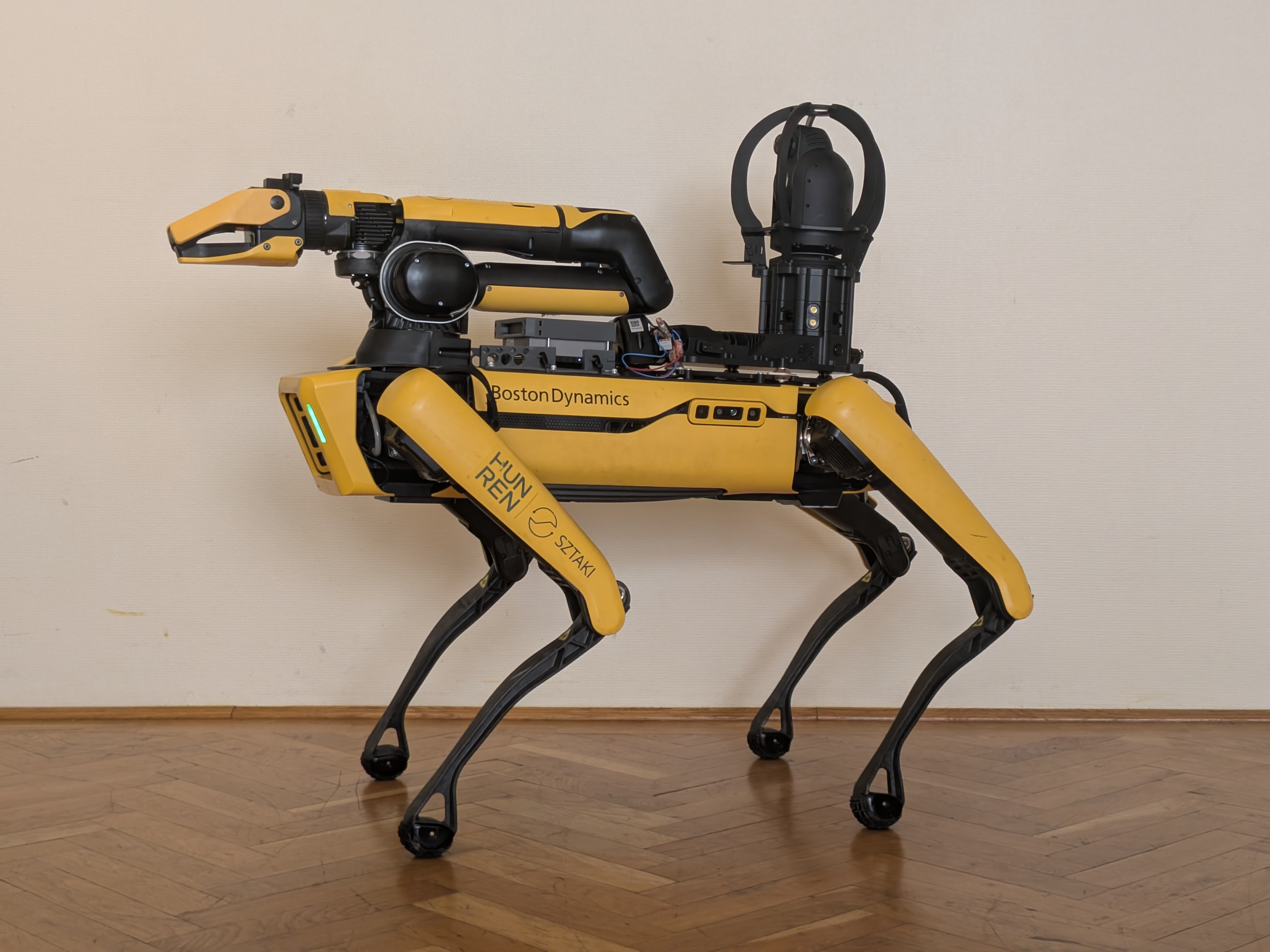
This project was developed as part of my Master’s Thesis at HUNREN Sztaki. It develops an autonomous visual search system for a Pan-Tilt-Zoom (PTZ) camera mounted on the Boston Dynamics Spot. Instead of relying only on a fixed camera view, Spot actively explores its environment while controlling the camera to search for and observe landmarks.
The system is built as a modular ROS 2 stack. It supports both a Gazebo simulation and deployment on the physical robot, allowing exploration behaviors and perception algorithms to be tested before transfer to Spot.
About PTZ Cameras
Traditionally, mobile robots carry fixed-viewpoint cameras. If a large field of view is required, multiple cameras are often used. This is no different for the Boston Dynamics Spot robot, which features a total of five fixed RGB-D cameras to cover its surroundings. However, these cameras are not designed for high-resolution inspection of objects but rather for navigation and obstacle avoidance in the robot’s immediate vicinity.
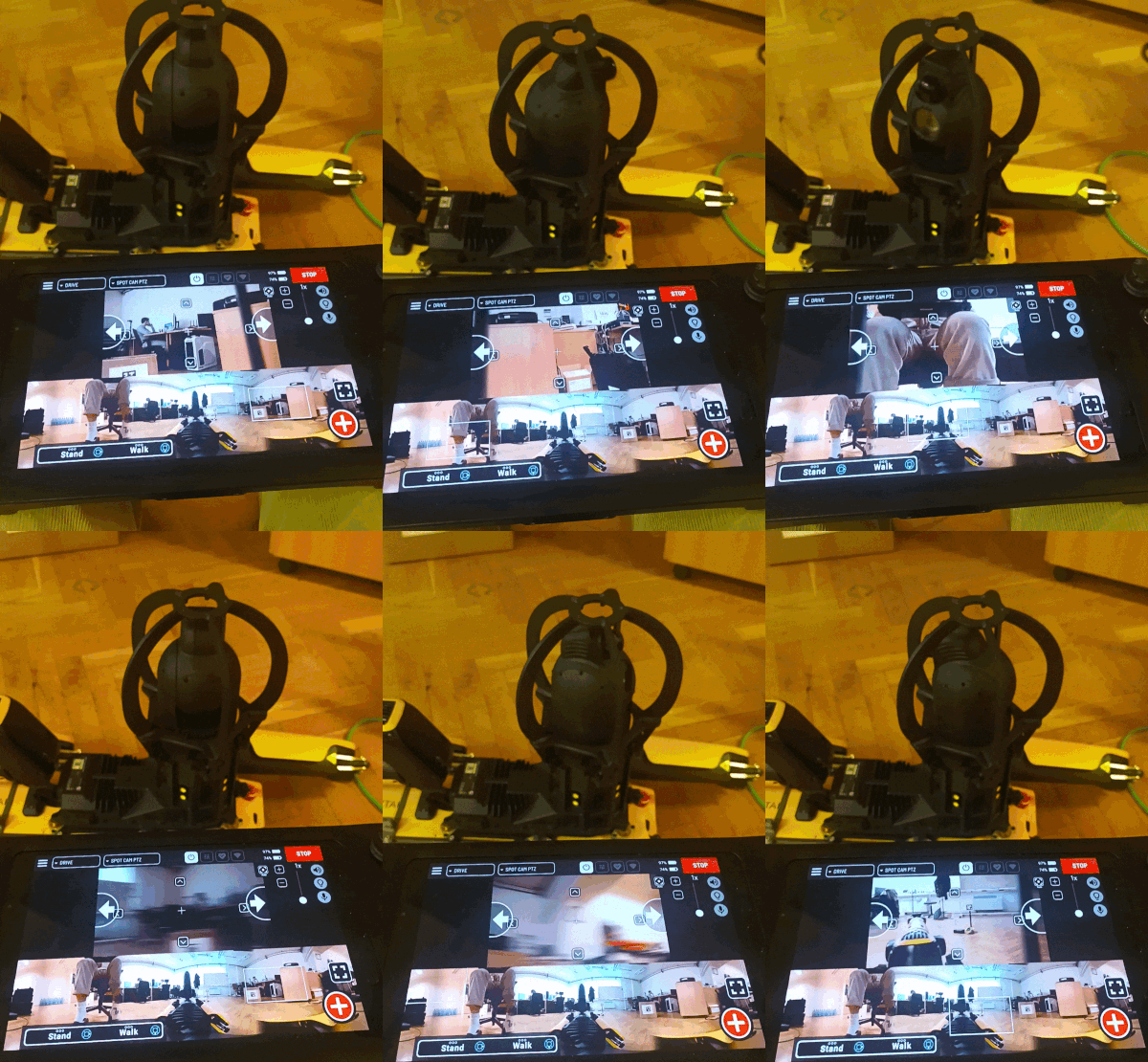
With a Pan-Tilt-Zoom camera like the Boston Dynamics Cam+ IR inspection camera, the robot can actively control the camera’s orientation and zoom level to inspect objects of interest. This allows for more flexible and efficient visual search strategies. It does introduce additional control complexity, though, as the robot must now coordinate its own motion with the camera’s orientation to maximize the effectiveness of its search. This is where this project comes in, providing a complete pipeline for active visual search.
System Architecture
Toggle Architecture Diagram
---
config:
    themeVariables:
        fontSize: "18px"
---
flowchart TD

%% Styling
classDef inputStyle fill:#d4edda,stroke:#28a745,stroke-width:2px,color:#155724
classDef outputStyle fill:#cce5ff,stroke:#007bff,stroke-width:2px,color:#004085
classDef moduleStyle fill:#fff3cd,stroke:#ffc107,stroke-width:2px,color:#856404
classDef invisibleStyle fill:none,stroke:none,color:none;

style IN fill:#eeeeee,stroke:#aaaaaa;
style MODULES fill:#eeeeee,stroke:#aaaaaa;
style OUT fill:#eeeeee,stroke:#aaaaaa;

%% Modules
subgraph MODULES[ ]
    MODULE_DETECTOR[YOLO Model]:::moduleStyle
    MODULE_OPTIMIZER[GTSAM Factor Graph]:::moduleStyle
    MODULE_OCOTMAP[OctoMap Server]:::moduleStyle
    MODULE_EXPLORER[Custom Exploration Algorithm]:::moduleStyle
    MODULE_NAV2[Nav2 Navigation]:::moduleStyle
    MODULE_PROJECTOR["Projection Node"]:::moduleStyle
    INVISIBLE(( )):::invisibleStyle
end

%% Outputs
subgraph OUT[ ]
    OUT_TWIST[\Base Movement Control\]:::outputStyle
    OUT_PTZ[\Pan-Tilt-Zoom Control\]:::outputStyle
end

%% Inputs
subgraph IN[ ]
    IN_POINTS[/"Point cloud(s)"/]:::inputStyle
    IN_360[/"RGB Camera Image(s)"/]:::inputStyle
end

%% Input Connections
IN_POINTS --> MODULE_OCOTMAP
IN_360 --> MODULE_DETECTOR

%% Detector
MODULE_DETECTOR -- 2D Object Detections --> MODULE_PROJECTOR

MODULE_PROJECTOR -- 3D Detection Directions --> MODULE_OPTIMIZER

%% Optimizer
MODULE_OPTIMIZER -- 3D Object Estimates --> MODULE_EXPLORER

%% Octomap Server
MODULE_OCOTMAP -- Occupancy Map --> INVISIBLE
INVISIBLE --> MODULE_EXPLORER
INVISIBLE --> MODULE_PROJECTOR

%% Explorer
MODULE_EXPLORER -- Navigation Waypoints --> MODULE_NAV2
MODULE_EXPLORER --> OUT_PTZ

%% Nav2
MODULE_NAV2 --> OUT_TWIST

%% Physical Loop
OUT -. "Hardware Loop".-> IN
The system is a full stack of perception, mapping, navigation, and active camera control. The PTZ camera provides high-resolution images for object detection, while the robot’s sensors (LIDAR, IMU, wheel odometry) provide localization and mapping capabilities. The exploration algorithm coordinates the robot’s movement and camera orientation to maximize the efficiency of the visual search.
Perception
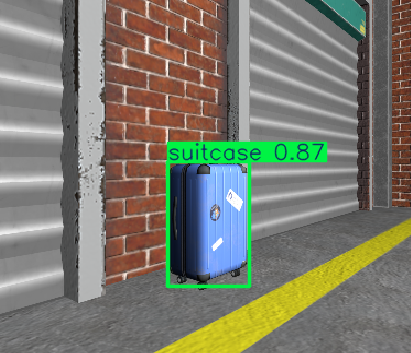
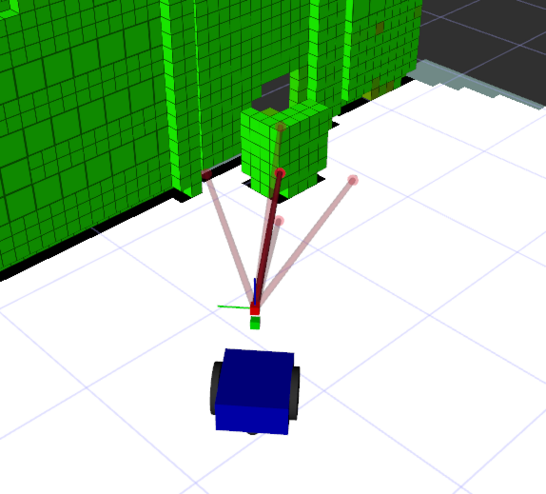
The perception pipeline uses a YOLO model to produce 2D object detections from the PTZ camera stream. OctoMap ray-casting projects these detections into 3D using the robot pose and environment map.
 |
 |
Optimization
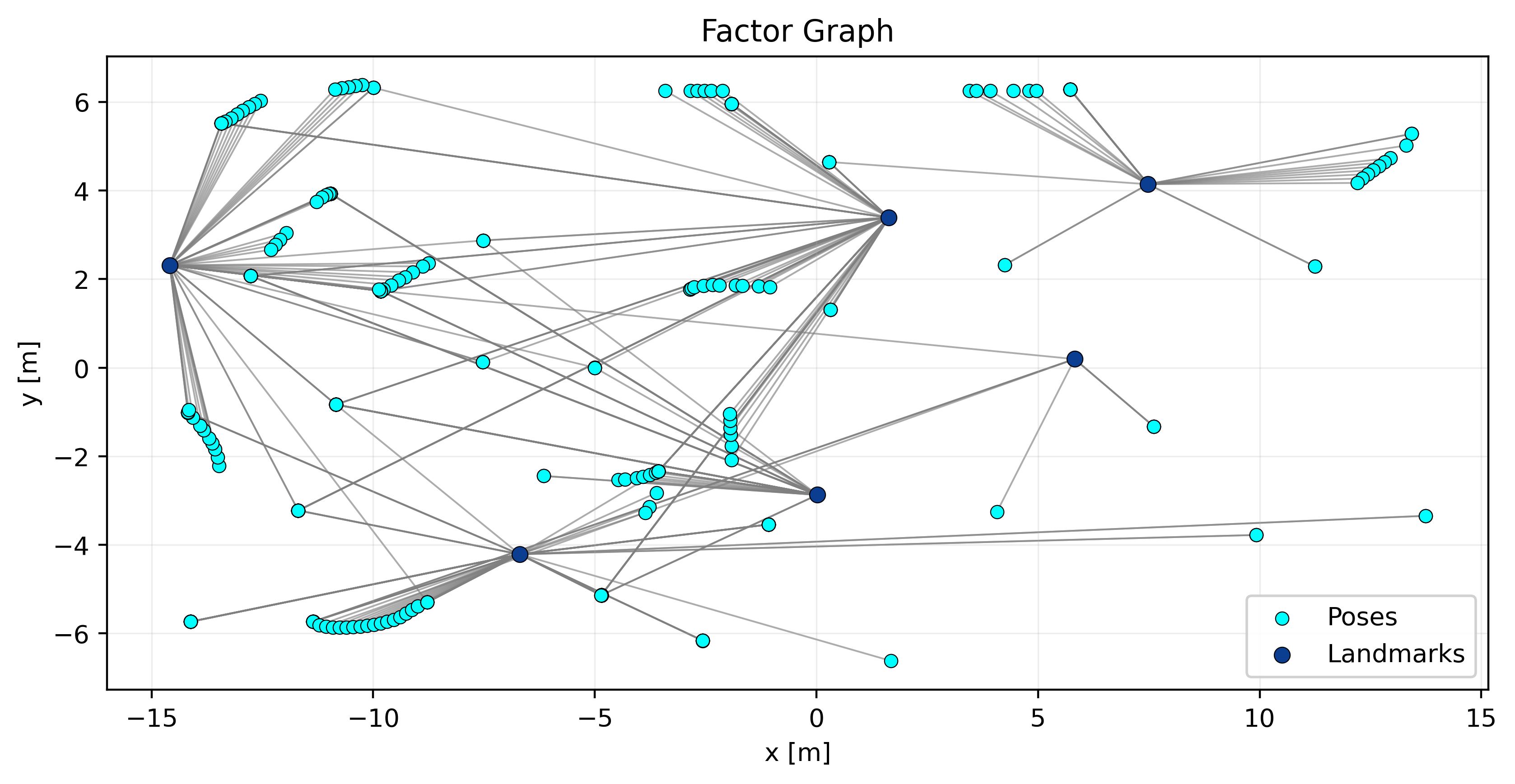
Landmark measurements are then associated and tracked in a GTSAM iSAM2 factor graph, which incrementally optimizes landmark estimates as new observations arrive.
Navigation
Navigation is handled by Nav2, which receives waypoints from the exploration algorithm and generates movement commands for the robot base. The occupancy map from OctoMap is used for collision avoidance. Using Nav2 allows the system to be easily adapted to different robotic platforms, as it provides a standard interface for navigation.
Exploration and Active Camera Control
The exploration algorithm coordinates the robot’s movement and camera orientation to maximize the efficiency of the visual search. It uses frontier-based exploration at its core to control the robot’s base movement, while a custom PTZ control algorithm determines the optimal camera orientation and zoom level to observe landmarks of interest.
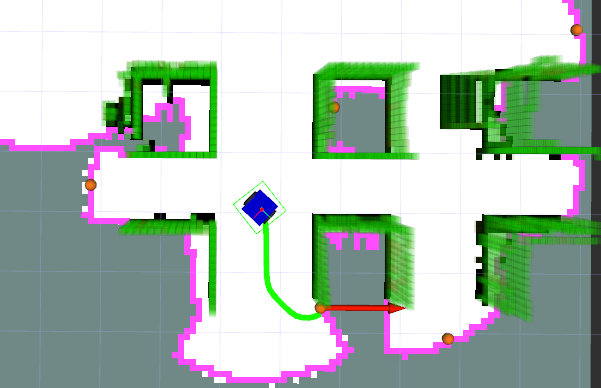
As part of the thesis, I compared different PTZ control strategies. If you are curious about the details, you can read the full thesis here.
Modular ROS 2 Packages
For better code organization, maintainability, and adaptability to different robotic platforms, the implementation is split into three ROS 2 packages:
ptz_exploration_corecontains perception, PTZ control, exploration behavior, landmark management, and factor-graph optimization.ptz_exploration_simprovides Gazebo worlds, robot models, and launch files for simulation experiments.ptz_exploration_spotcontains Spot-specific drivers, interfaces, configuration, and Nav2 integration for hardware deployment.
The complete environment runs in Docker, keeping dependencies and runtime configuration consistent across development machines, simulation, and robot hardware. This architecture ensures that platform-specific interfaces are separate from the exploration logic, making it possible to develop and test the visual search system with different robots or camera setups.
Simulation Environment
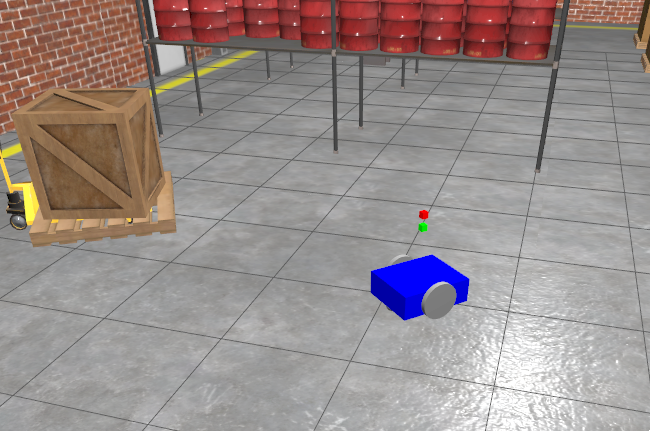
The Gazebo simulation environment is designed to replicate the physical robot and its surroundings. It uses a generic robot model with a PTZ camera, showcasing the modularity and versatility of the system.
Outcome
For source code documentation and project details, visit the SPOT PTZ Exploration repository. If you are interested in the full details of the project, you can also read my Master’s Thesis on the topic.